
Guides & Advice
Can You Put a Laptop in Checked Luggage? Rules and Risks
Oct
Yes, you can put a laptop in checked luggage: the TSA allows it, and the FAA accepts a laptop in a checked bag as long as it is completely powered off and protected from damage. Whether you should is another question. In the hold, the lithium battery is out of the crew’s sight, the laptop takes every knock the bag takes, and spare batteries and power banks are not allowed there at all. Below are the rules as the agencies and airlines publish them, the reasons the cabin remains the better place, and how to pack a laptop properly when the hold is unavoidable. For carrying it on board without bumps, a padded laptop sleeve is often all you need.
In this guide
- What the rules actually say
- Why the cabin is still the better choice
- How to pack a laptop in checked luggage
- At the security checkpoint
- Which bag to travel with a laptop
- Frequently asked questions
What the rules actually say
The TSA’s own answer is short: laptops are allowed in carry-on bags and in checked bags. The details come from the FAA, which regulates lithium batteries on aircraft, and it draws a clear line between two cases:
- a battery installed in the device: the laptop may travel in checked baggage, turned off and protected from accidental activation;
- a spare battery that is not installed, along with power banks and phone battery cases: carry-on only, with the terminals protected from short circuit.
The FAA caps lithium-ion batteries at 100 watt hours (Wh) each. From 101 to 160 Wh you need the airline’s approval, and the FAA allows up to two spare batteries in that range per person. Airlines can be stricter. KLM, for example, lets you check up to 15 devices with a lithium battery of 100 Wh or less, all completely switched off, asks for permission up to 160 Wh, and never accepts a device above that.
| Item | Carry-on | Checked bag |
|---|---|---|
| Laptop, battery installed, 100 Wh or less | yes | yes, fully off and protected |
| Spare laptop battery | yes, terminals protected | no |
| Power bank or portable charger | yes | no |
| Battery from 101 to 160 Wh | with airline approval | depends on the airline |
| Battery above 160 Wh | no | no |
Most everyday laptops sit well under 100 Wh. The rating is printed on the battery or the charger label, and you can work it out yourself by multiplying the voltage by the amp hours: 11.4 V and 5 Ah make 57 Wh. Before a long-haul flight, check your airline’s restricted items page anyway. And if you travel with a laptop backpack as your carry-on, the question never comes up.
Why the cabin is still the better choice
The FAA explains why it cares so much about batteries in the cabin. A lithium-ion battery can go into thermal runaway without warning, after a drop, overheating, water exposure or a manufacturing defect, and flight crews are trained to spot and handle a battery fire in the cabin. Nobody sees one in the hold. On top of that safety reason come three very practical ones:
- Impact: checked bags are stacked, thrown onto belts and sometimes crushed under heavier ones. A laptop screen does not like any of that.
- Theft: an expensive laptop sits for hours in a bag you cannot watch, opened by people you never meet.
- Loss: when a checked bag goes missing, your work tool and your files go with it, sometimes for days.
My view is simple: the laptop travels in the bag that stays with you, even if that means moving a pair of shoes into the checked suitcase to meet the cabin weight limit. Many airlines also accept a personal item under the seat, and a slim laptop briefcase usually fits that allowance.
Fitting the laptop into the cabin is usually a matter of order, not space. Put the laptop in its sleeve first, flat against the back panel of your carry-on, then pack soft items in front of it so nothing hard presses on the screen. Keep the charger and any power bank in an outside pocket: you will want both within reach on board, and the power bank has to stay in the cabin anyway. If the overhead bins fill up and the crew asks to check your carry-on at the door, slide the laptop and the batteries out before you hand the bag over, exactly as the FAA asks. A bag with a separate laptop compartment makes that a ten second job instead of a search through the whole bag in the jet bridge.
The same reasoning holds for anything with a battery inside. A camera or a tablet follows the installed battery rule, while every loose battery and charger brick with cells inside belongs in your carry-on.
How to pack a laptop in checked luggage
Sometimes the hold is not optional: a carry-on taken from you at the gate, a single-bag fare, a small regional plane with no overhead room. In that case, pack it this way:
- Shut it down completely. Not sleep, not hibernate. A sleeping laptop can wake up, heat up in a closed space and drain its battery during the flight. Airlines ask for devices that are fully switched off.
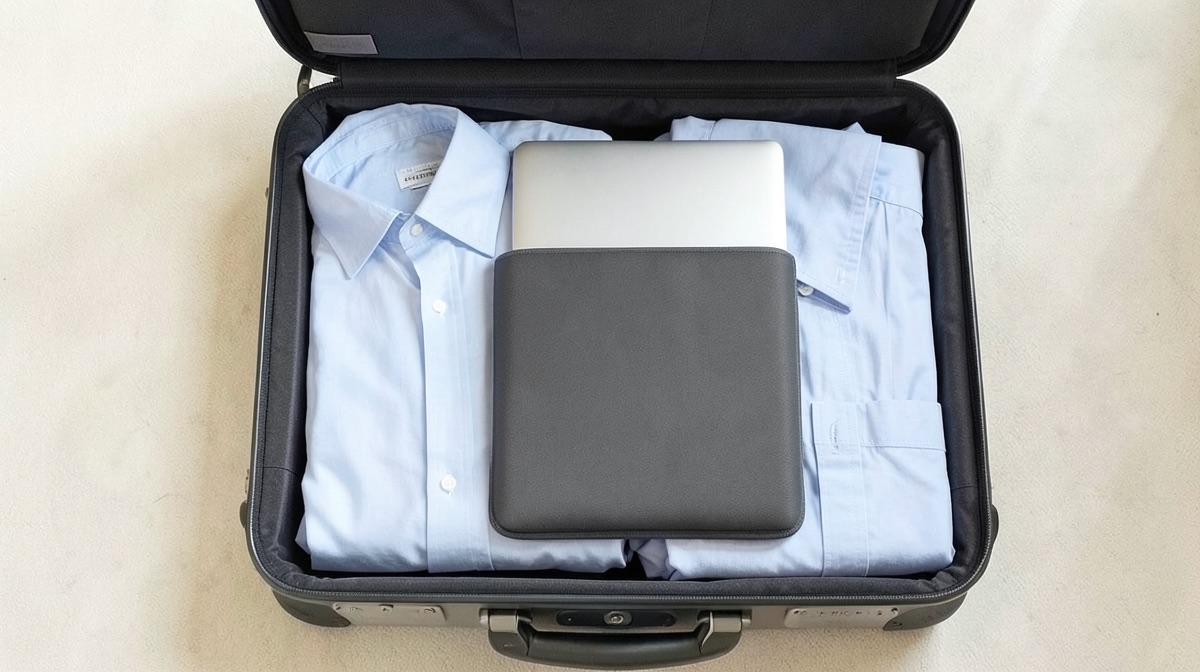
- Put it in a padded or hard sleeve. Then place it flat in the middle of the suitcase, surrounded by clothes on every side, never against a wall or the wheel side.
- Take out spare batteries and power banks and keep them with you. The FAA spells this out for carry-ons checked at the gate or planeside: every spare lithium battery must come out and stay in the cabin.
- Keep the charger flat and away from the laptop’s screen, so the brick does not press into the lid when the bag is squeezed.
- Back up your files before you leave, so a lost bag means lost hardware, not lost work.
- Lock the bag with a lock security officers can open, so an inspection does not end with a cut padlock. Our guide on how to reset a TSA lock covers the setup.
A hard EVA sleeve protects better against crushing than a thin neoprene pouch. Our laptop sleeve collection carries both kinds.
At the security checkpoint
The TSA asks you to take the laptop out of your bag and place it in a separate bin for X-ray screening. TSA PreCheck travelers do not need to remove laptops, and the final decision always rests with the officer at the checkpoint. Many airports outside the United States follow the same routine, while lanes equipped with newer scanners sometimes drop it: just follow the sign at your lane.
What speeds things up is a bag where the laptop slides out without unpacking everything else. A dedicated padded compartment at the back, opening wide, does that well. You will find this layout on several bags in our 15 inch laptop bag range.
Which bag to travel with a laptop
In our catalog, 165 product titles name a laptop. The size our descriptions cite most often is 15.6 inches (164 product pages), ahead of 14 inches (118) and 17 inches (99). Measure your screen diagonal before you choose: a bag built for 15.6 inches will not close over a 17 inch machine, and a 13 inch laptop slides around in a 17 inch compartment.
- See the hard EVA laptop sleeve, 14 or 16 inch: the safest choice when the laptop has to ride in a suitcase.
- See the padded laptop sleeve, 11 to 15.6 inch: light enough to slip into any carry-on.
- See the slim laptop bag, 13.3 to 15.6 inch: flat enough to fit under the seat as a personal item.
- See the nylon laptop bag, 15.6 or 17 inch: for big screens.
Conclusion: the rule to remember
A laptop is allowed in checked luggage when it is fully powered off and well protected, but it travels better in the cabin, together with its spare batteries and power banks, which are never allowed in the hold. If the hold is forced on you, shut the laptop down, pack it in the middle of the suitcase and back up your files. To carry it on board, browse our laptop sleeve collection, and to pick a bag that fits your screen, start with our 14 inch laptop bag range.
Frequently asked questions
Can you put a power bank in checked luggage?
No. Power banks and every lithium battery that is not installed in a device must travel in the cabin, with the terminals protected. If your carry-on is checked at the gate, take them out before handing it over.
Should the laptop be off or is sleep mode enough?
It must be completely off. Airlines require devices in checked bags to be fully switched off, and a laptop in sleep mode can wake up, heat up or drain its battery during the flight.
Does a laptop count toward my carry-on weight?
Yes, when the airline weighs carry-ons, the laptop is weighed with everything else. Many airlines also allow a personal item under the seat, and a slim laptop bag usually qualifies.
Are the rules different on international flights?
The logic is the same almost everywhere: installed batteries may go in the hold with the device switched off, spare batteries and power banks stay in the cabin, and 100 Wh is the usual threshold. Limits on the number of power banks or on their use on board vary by airline, so read your carrier’s page before you fly.
What if my laptop battery is over 100 Wh?
Between 101 and 160 Wh, you need the airline’s approval before flying, and the FAA limits you to two such spare batteries per person. Above 160 Wh, airlines such as KLM do not accept the device at all, in the cabin or in the hold.
