
Men's Bags
How to Measure Laptop Size for a Bag, Sleeve or Backpack

Apr
To measure laptop size the way manufacturers do, open the lid and run a tape measure diagonally across the screen, from the bottom left corner of the visible display to the top right corner, without the bezel. The number in inches is the screen size: 13.3, 14, 15.6 or 17.3 inches for most models. That figure tells you the class of the laptop, but it is not enough to buy a bag. For a laptop sleeve or a backpack, you need three more measurements of the closed laptop: width, depth and thickness. This guide shows how to take all four in two minutes.
In short
- Screen size = the diagonal of the visible screen, in inches (1 inch = 2.54 cm).
- Bag size = the outside width, depth and thickness of the closed laptop, plus a margin.
- The body of a laptop is always larger than its screen, by up to about an inch on each side.
In this guide
- Find your laptop screen size
- Measure the laptop for a bag or sleeve
- Laptop sizes chart
- Why a 15.6 inch laptop may not fit a 15 inch bag
- Choose the right bag
- Frequently asked questions
How to find your laptop screen size
There are three ways to get the screen size, from the quickest to the most reliable:
- Read the label or the box. The sticker under the laptop or the original packaging gives the model number. Search that model and the specification sheet lists the screen size.
- Check the system. On Windows, the model name appears in Settings, under System, then About. On a Mac, the Apple menu, then About This Mac, shows the model and year, which give the screen size.
- Measure it. Open the laptop, place the end of a tape measure in one corner of the visible screen and read the length to the opposite corner. Do not include the plastic or metal frame around the display.
If you measure in centimeters, divide by 2.54 to get inches: a diagonal of 35.6 cm is a 14 inch screen, 39.6 cm a 15.6 inch screen. A tape that reads a little more than a standard size usually means you included part of the bezel. Once you know the class, a dedicated 14 inch laptop bag or 15 inch bag narrows the search immediately.
How to measure your laptop for a bag or sleeve
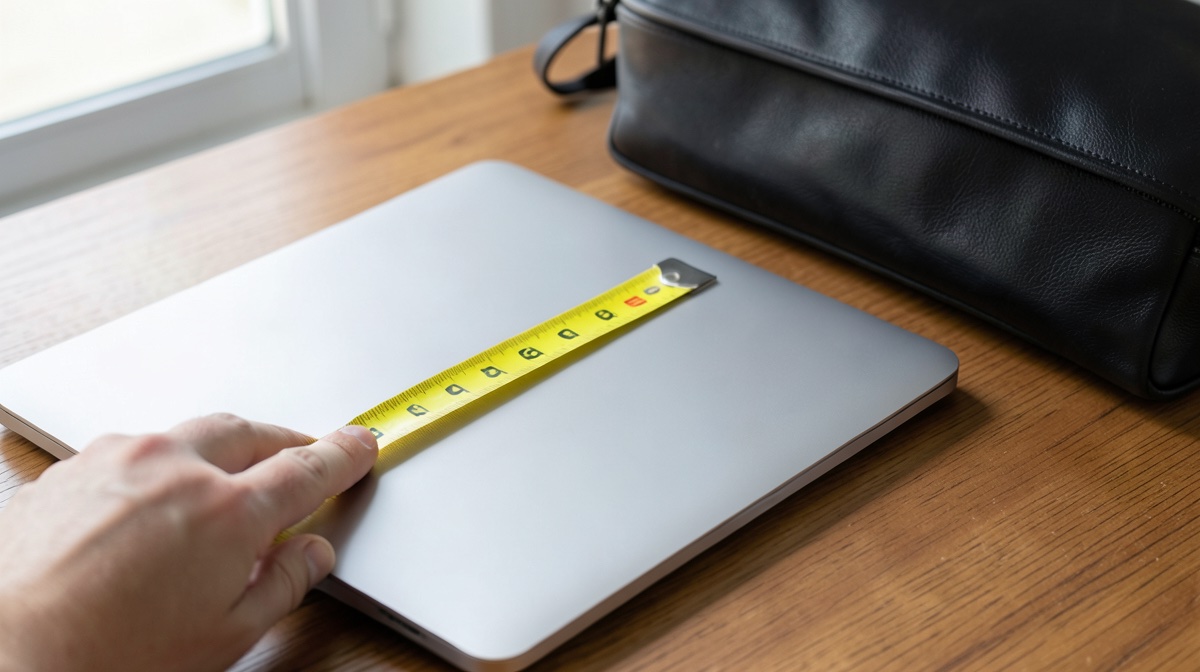
A bag holds the whole computer, not just its screen. Close the laptop, put it on a flat table and take three measurements:
- Width: the longest side, from left edge to right edge.
- Depth: from the front edge (the side you type from) to the hinge at the back.
- Thickness: from the table to the top of the closed lid, at the thickest point, rubber feet included.
Then add a margin before you compare with a bag’s inner dimensions. Bag makers who publish fitting guides recommend adding a few centimeters, or up to an inch, to the width and depth, and around half an inch to the thickness, so the computer slides in without forcing the zipper. A sleeve can be snug; a backpack compartment with its own padding needs a little more room. When we choose a leather laptop bag for men, we compare the inner pocket with the measured body, never with the screen size printed on the tag.
Laptop sizes chart: screen dimensions by diagonal
The screen size alone does not give width and height, because two screens with the same diagonal can have different shapes. Most laptops use a 16:9 screen (wider) or a 16:10 screen (a little taller). The table below gives the dimensions of the visible screen, calculated from the diagonal and the aspect ratio. The outside body of the laptop adds the bezel on top of these figures.
| Screen size | Diagonal in cm | Screen 16:9 (W x H) | Screen 16:10 (W x H) |
|---|---|---|---|
| 11.6 inch | 29.5 cm | 10.1 x 5.7 in (25.7 x 14.4 cm) | 9.8 x 6.1 in (25.0 x 15.6 cm) |
| 13.3 inch | 33.8 cm | 11.6 x 6.5 in (29.4 x 16.6 cm) | 11.3 x 7.0 in (28.6 x 17.9 cm) |
| 14 inch | 35.6 cm | 12.2 x 6.9 in (31.0 x 17.4 cm) | 11.9 x 7.4 in (30.2 x 18.8 cm) |
| 15.6 inch | 39.6 cm | 13.6 x 7.6 in (34.5 x 19.4 cm) | 13.2 x 8.3 in (33.6 x 21.0 cm) |
| 16 inch | 40.6 cm | 13.9 x 7.8 in (35.4 x 19.9 cm) | 13.6 x 8.5 in (34.5 x 21.5 cm) |
| 17.3 inch | 43.9 cm | 15.1 x 8.5 in (38.3 x 21.5 cm) | 14.7 x 9.2 in (37.3 x 23.3 cm) |
Use the chart to check that a measurement makes sense, then rely on your own tape for the body. For the largest machines, a 17 inch laptop bag is designed around the 17.3 inch class, which is the most common screen above 16 inches.
Why a 15.6 inch laptop may not fit a “15 inch” bag
The most frequent fitting mistake is reading a bag’s size as a promise. A bag sold for “15 inch” laptops may be designed around an older, thicker 15 inch body, or around a slim 15 inch screen with thin bezels. A 15.6 inch gaming laptop with a wide frame can then be too long for it, while a modern 16 inch ultrabook slips into a bag labeled 15.6. Only the measured body settles it.
We see the confusion in our own data. In our catalog, checked on October 2, 2026, 169 product titles name a laptop, and the sizes quoted on product pages spread across many labels: 15.6 inches on 122 pages, 14 inches on 64, 15 inches on 59, 17 inches on 50 and 17.3 inches on 22. The French version of this guide gets its first impressions on searches like “bag dimensions for a 15 inch laptop”: buyers look for a body measurement, not a screen size. That is why we now compare the inner dimensions of each 15 inch laptop bag with the closed laptop before recommending it.
Choose the right bag once you know the size
With width, depth and thickness written down, picking the format is the easy part. Each family below lists inner dimensions or the laptop class on its product pages:
- See laptop sleeves: a padded skin for carrying the laptop inside another bag.
- See laptop backpacks: the best option for commuting on foot or by bike.
- See laptop messenger bags: quick access to the computer, carried across the body.
- See laptop briefcases: a structured format for the office and meetings.
If you are torn between the last two, our comparison of a messenger bag vs briefcase explains which one suits your day. And if the laptop is going on a plane, read whether you can put a laptop in checked luggage before you pack it.
Conclusion
Measure the screen diagonally to know your laptop’s size class, then measure the closed body (width, depth, thickness) and add a margin to choose a bag. The screen size is a label; the body measurements are what decide the fit. Start with a padded laptop sleeve in the right size, or go straight to a laptop backpack if you carry it every day.
Frequently asked questions
Is laptop size measured diagonally?
Yes. The advertised size of a laptop is the diagonal of the visible screen, measured in inches from one corner to the opposite corner. It does not include the bezel or the body of the laptop.
How big is a 15.6 inch laptop in cm?
The screen diagonal of a 15.6 inch laptop is 39.6 cm. The visible screen is about 34.5 x 19.4 cm in 16:9 format. The body is larger: measure it, because bezels and hinges vary from one model to another.
Will a 16 inch laptop fit in a 15.6 inch bag?
Sometimes. Many 16 inch laptops have thin bezels and a body close to that of an older 15.6 inch model. Compare the measured width and depth of your laptop with the inner dimensions of the bag, with about an inch of margin.
How do I know what size sleeve to buy?
Measure the closed laptop’s width, depth and thickness, then pick a sleeve whose inner dimensions are slightly larger. A sleeve can be snug, but the zipper should close without pulling on the corners.
